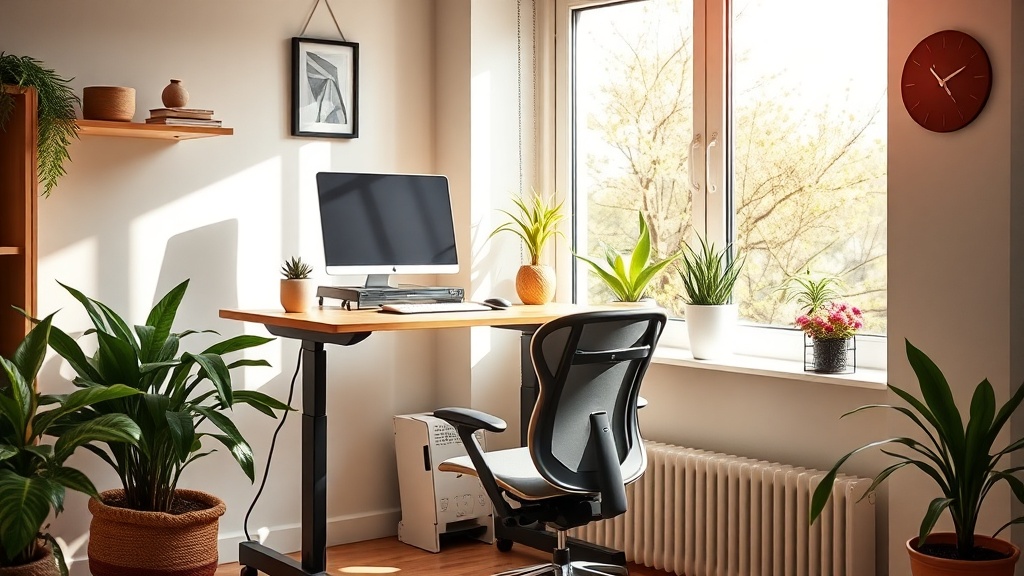
Spring 2026 Home Office Ergonomics: Upgrading Your Workspace for Health and Productivity

Hook:
Ever notice how your neck aches after a few hours at the desk, or how you feel sluggish by mid‑afternoon? You’re not alone—recent surveys show a surge in remote‑work‑related neck and back pain as summer approaches. The good news? A simple spring refresh of your home office can turn that pain into productivity.
Context:
Spring is the perfect time to clear out clutter, open the windows, and rethink how you work. With remote work still the norm, investing in ergonomics now can prevent long‑term strain and help you stay focused through the busy summer months.
What Are the Biggest Ergonomic Issues When Working From Home?
Most remote workers grapple with three common problems:
- Fixed‑height desks that force you to sit all day.
- Non‑adjustable chairs lacking proper lumbar support.
- Improper monitor placement causing neck strain.
A 2025 Harvard Health study found that 68% of remote employees reported new or worsening musculoskeletal discomfort within the first six months of working from home.¹
How Can You Choose an Adjustable Standing Desk on a Budget?
Adjustable desks don’t have to break the bank. Look for these features:
- Electric vs. manual: Electric models are convenient, but a sturdy manual crank can save $150–$200.
- Weight capacity: Aim for at least 150 lb to accommodate dual monitors.
- Stability: A wide base reduces wobble—essential for writing or drawing.
Quick tip: Check out the IKEA Bekant line, which offers a solid electric desk for under $400 and comes with a 10‑year warranty.
Which Ergonomic Chair Features Matter Most?
A good chair is your daily ally. Prioritize:
- Adjustable lumbar support that matches the curve of your lower back.
- Seat depth and height that let your feet rest flat on the floor while keeping knees at a 90‑degree angle.
- Swivel and casters for easy movement without straining.
If you’re short‑budgeted, a high‑quality office chair cushion with memory foam can add lumbar support to an existing chair.
What Simple Accessories Can Improve Your Posture?
You don’t need a full remodel to feel the difference. Add these low‑cost tools:
- Monitor riser or stack of books (5–10 inches) to bring the screen to eye level.
- Keyboard tray that keeps wrists neutral.
- Footrest to maintain proper hip angle.
- Desk lamp with adjustable arm to reduce eye strain.
All of these items are typically under $50 and can be found at office supply stores or online retailers.
How Does a Spring Refresh Boost Your Productivity?
Beyond physical comfort, a tidy, well‑lit space improves focus. A 2024 OSHA report links a clean, organized workstation with a 12% increase in task efficiency.² Pair your ergonomic upgrades with a quick declutter session—remove items that don’t serve a purpose, add a few green plants, and open the curtains for natural light.
Takeaway
This spring, upgrade three core elements: desk height, chair support, and visual ergonomics. Start with a budget‑friendly standing desk, add a lumbar‑support cushion, and elevate your monitor. Small changes now mean fewer aches later and a more productive workday.
Related Reading:
- International Women’s Day 2026: Workplace Health Steps — practical ways to foster health‑focused workplaces.
- Spring Refresh: Integrating the 6 Pillars of an Age‑Defying Lifestyle into Your Home Routine — a holistic approach to seasonal self‑care.
- Daylight Saving Time: Reset Your Spring Sleep Schedule — how sleep timing affects posture and focus.
- Embracing Bio‑Harmony: Eating in Sync with Your Circadian Rhythm — nutrition tips that complement an ergonomic workspace.
Sources:
- Harvard Health Publishing, Office ergonomics: How to set up a healthy workspace (2025) — https://www.health.harvard.edu/staying-healthy/office-ergonomics
- OSHA, Ergonomics and Office Work (2024) — https://www.osha.gov/ergonomics
- Mayo Clinic, Posture: Why it matters and how to improve it (2023) — https://www.mayoclinic.org/healthy-lifestyle/adult-health/in-depth/posture/art-20046015
<meta.faqs>
[
{"question": "What height should my monitor be?", "answer": "Top of the screen should be at or just below eye level, about an arm's length away."},
{"question": "How often should I switch between sitting and standing?", "answer": "Aim for a 1:1 ratio—stand for 30‑45 minutes, then sit for the same period."},
{"question": "Do I need a special chair for a standing desk?", "answer": "A supportive ergonomic chair works for both sitting and transitioning to standing, as long as it’s adjustable."}
]
</meta.faqs>